Picasa Desktop
The Problem
Google’s Picasa was the last photo app that treated your computer as the place your photos live. You pointed it at a folder, it showed you everything, and you got on with it. It was retired in 2016 and nothing really replaced it.
What replaced it was the cloud. Every option now wants you to upload first:
- Your photos live on someone else’s computer. You need a login and a connection to see pictures you took.
- The free tier runs out. Then it’s a monthly bill, forever, or you start deleting memories to stay under a limit.
- Getting out is hard. Export tools give you a zip of files with the album structure flattened away.
- The files are enormous. A one-minute clip from a modern phone is often 200 MB. Ten of those and you can’t email, upload, or put them anywhere.
Meanwhile the actual photos sit in folders like data-download-3(1) from some export you did years ago, and nobody ever looks at them again.
The Solution
Picasa Desktop is a photo and video organiser that runs entirely on your own machine. Point it at your folders and it shows you everything you have. Nothing is uploaded, nothing is moved, and there is no account to create — it works the same with the wifi switched off.
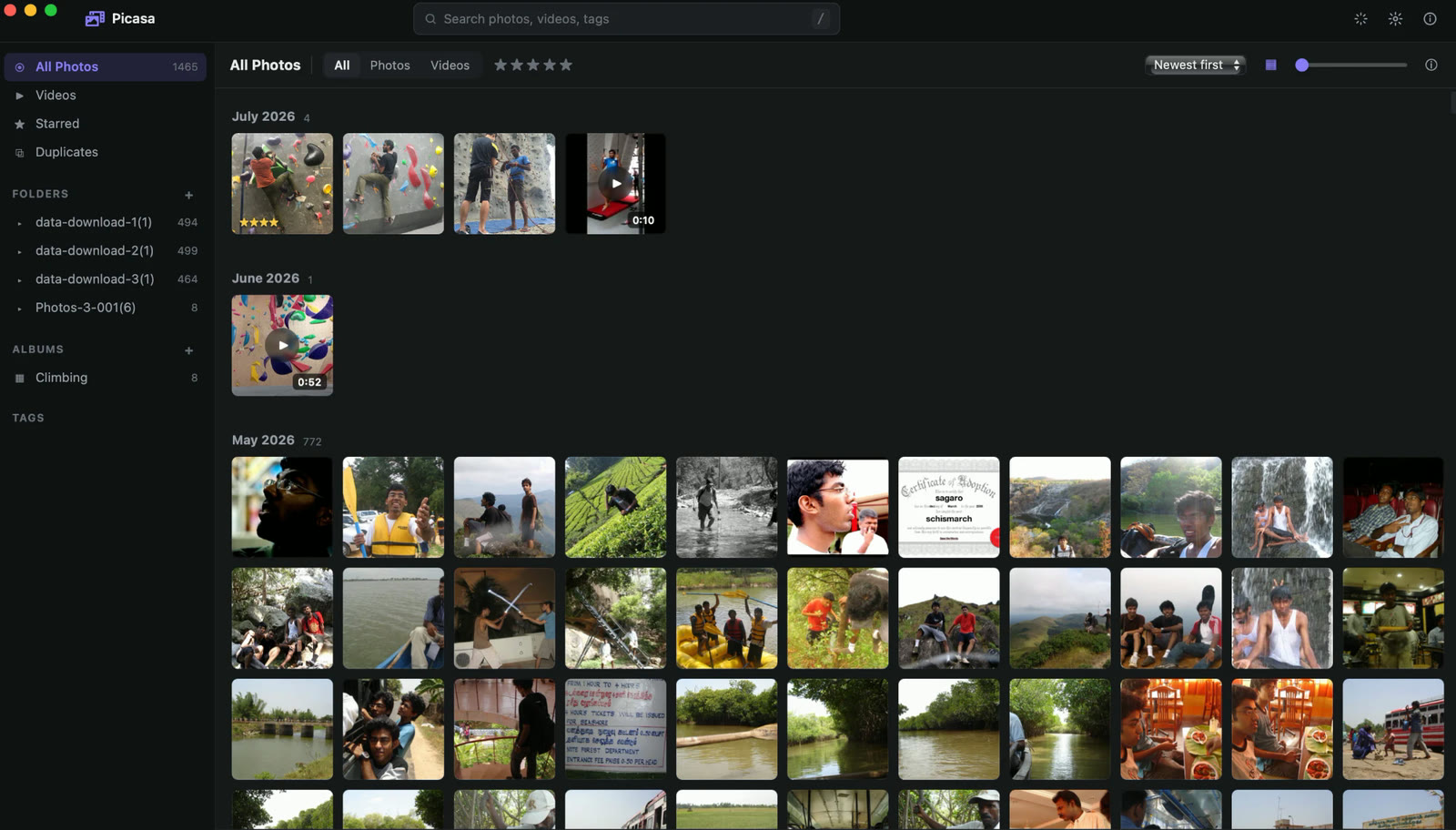
Download it from the releases page — there are installers for Mac, Windows, and Linux.
What makes it different
Albums are just folders
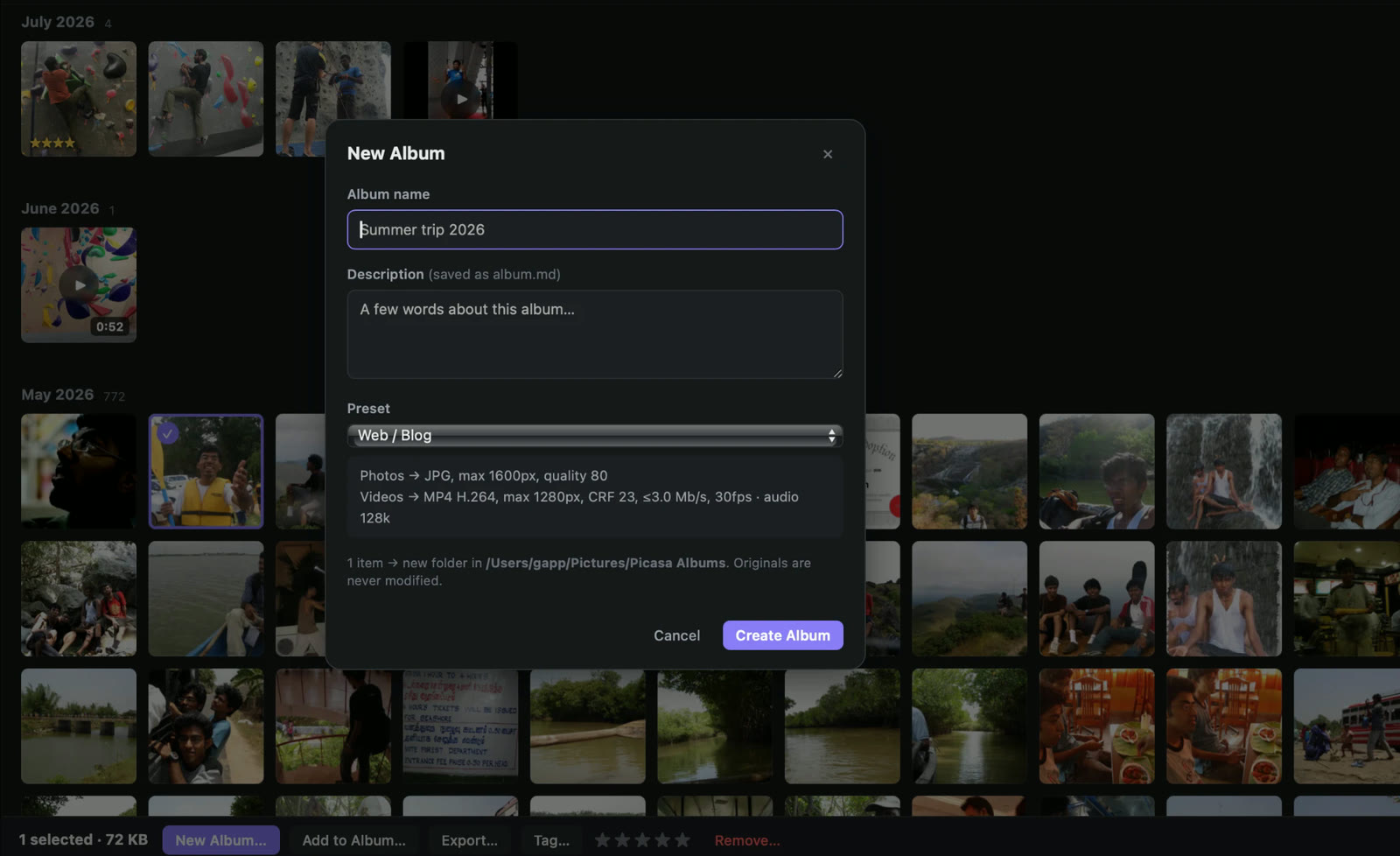
This is the important one. When you make an album, you get a real folder on your disk with the photos and videos inside it, and a plain text file called album.md holding the title and description you wrote.
That means the album makes sense to everything else, forever. You can email the folder, drop it in Dropbox, copy it to a USB stick, or open it in ten years on a computer that has never heard of this app. Nothing is trapped in a database that only my software can read.
It shrinks things properly, for a purpose
When you create an album, you pick what it’s for, and the files are converted to match:
| Preset | Good for | What it does |
|---|---|---|
| Web / Blog | Posting online | Photos to 1600px, videos to 720p — a 200 MB clip lands around 20 MB |
| TV / Big Screen | Slideshows on a television | Full 1080p, high quality, still much smaller than the originals |
| Email / Compact | Sending to family | Small enough to actually attach |
| Archive | Long-term storage | Standardises formats without throwing away detail |
| Original | Everything untouched | Straight copies |
Everything comes out in formats that open anywhere — photos as JPG, videos as MP4. No more “why won’t this .HEIC open on Windows”.
In practice a folder of holiday photos and clips that started at 129 MB came out as an 11 MB album on the Web/Blog preset. Same album, small enough to upload.
Your originals are never touched
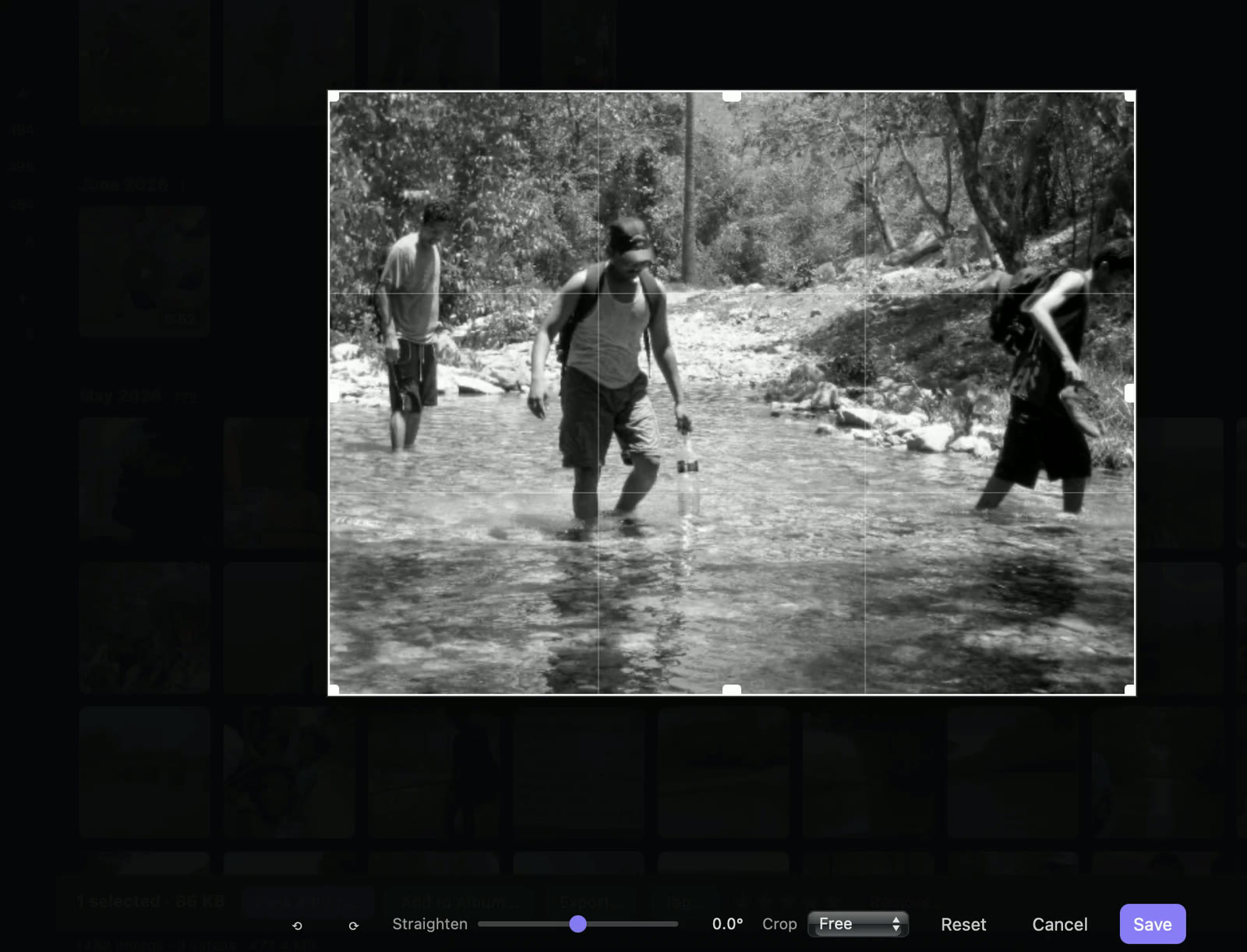
Albums are copies. Edits — rotating, straightening, cropping — are remembered separately and applied to the copies, so the file your camera made stays exactly as it was. You can undo an edit years later.
Finding things again
- Stars and tags for the photos you actually care about
- Search across names and tags
- Timeline grouping so you can scroll to a month rather than through 1,500 files
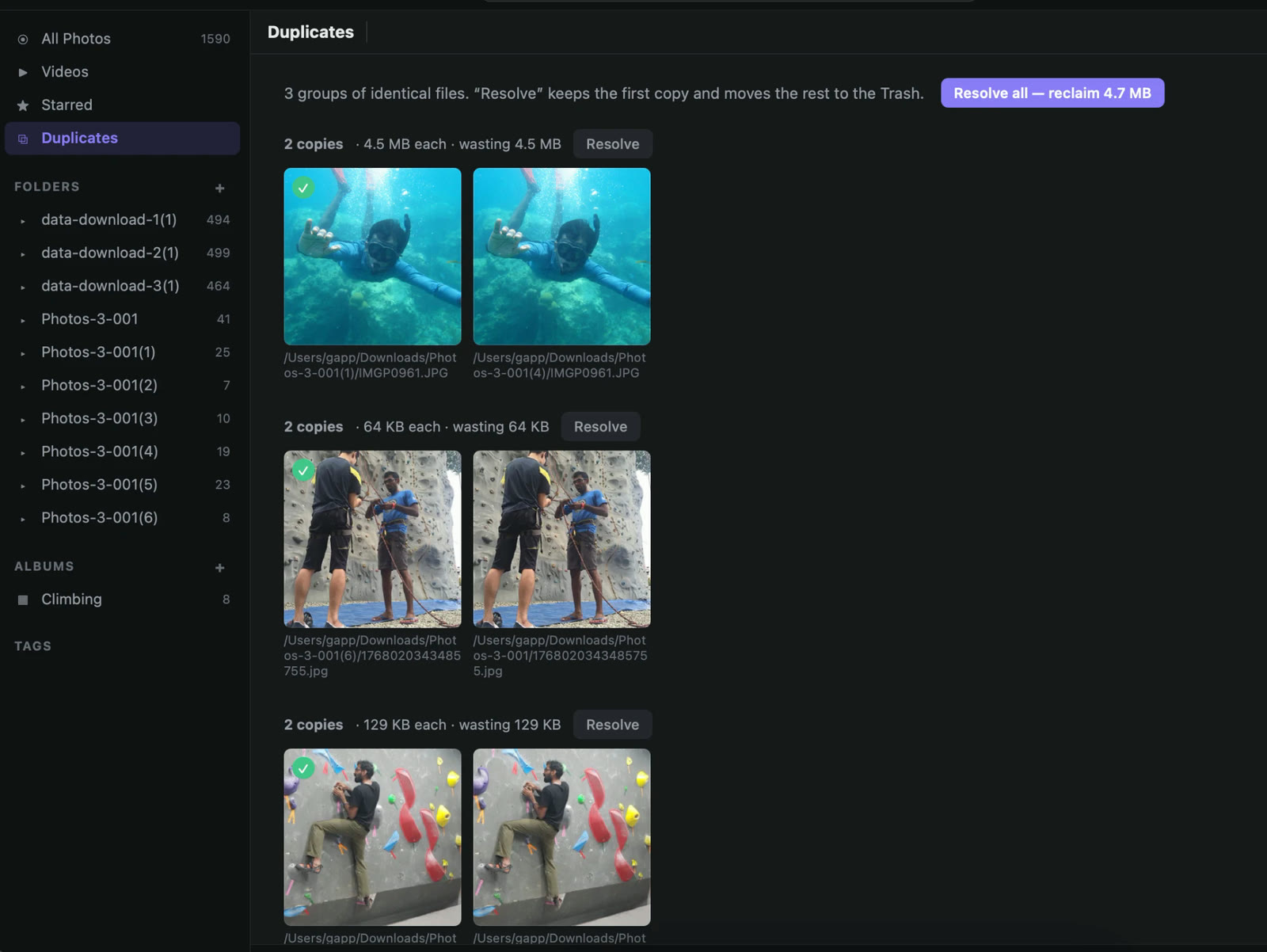
- Duplicate finder that compares actual file contents, not names, and clears out the copies you accumulated from years of exports and re-downloads
How I use it
I had about 1,500 photos and videos from old Flickr and Google exports sitting in download folders, plus whatever my phone has produced since. Now I point Picasa at those folders, pick out the good ones from a trip, and make an album with a couple of lines about where we were. It writes the folder, shrinks the videos, and that folder is what I actually share.
The description in album.md matters more than I expected. Years later the photos are still there, and so is a note saying what they were.
Practical notes
- Free, and the code is open on GitHub under an MIT licence
- Works on Mac (Apple Silicon and Intel), Windows, and Linux
- No account, no subscription, no internet connection needed
- Everything needed to convert video is included in the installer — nothing else to set up
- Deleting a folder from the app never deletes your files
For the technical side — how it’s built and how to compile it yourself — see the README on GitHub.